iAgent Features
All Core Features Included
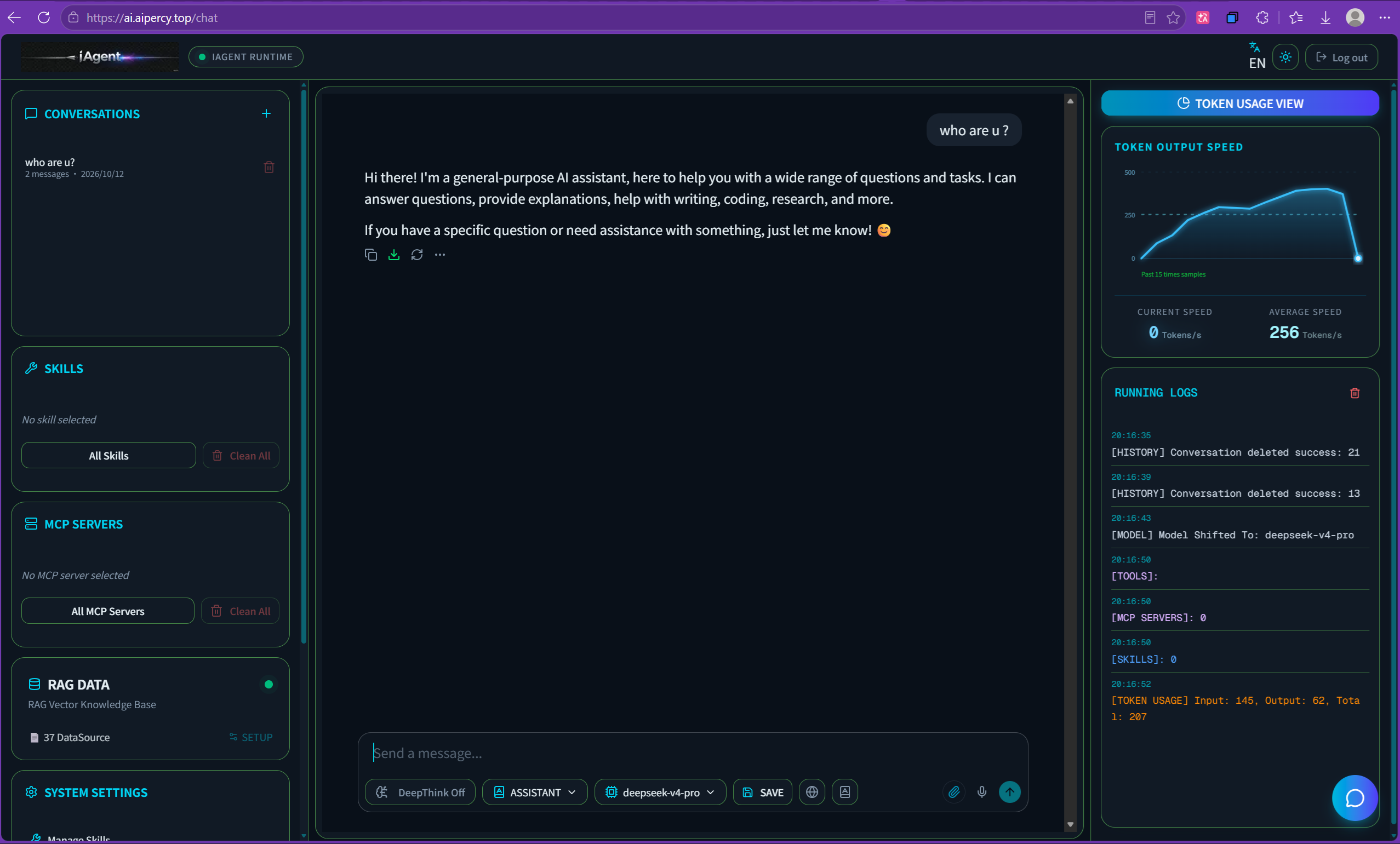
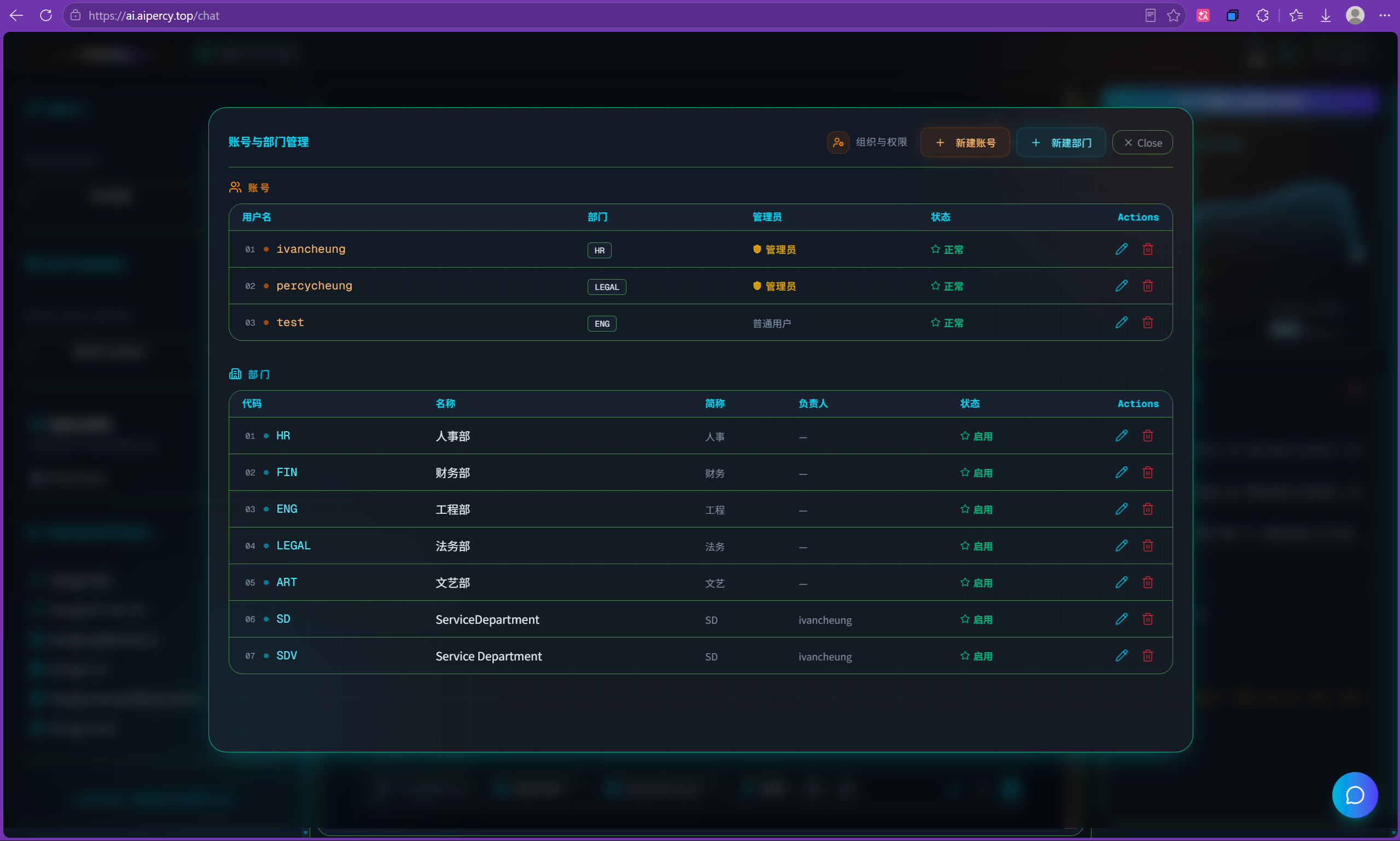
iAgent build most main function for user who need operate his private agant purpose, you can refer to screenshoot to view.
Multiple Module
The UI is clearly to operate base on one-click
Function Area
Each function area are setup clearly to operate and monitor
Function On/Off
Easy to switch on/off function just one click button.
Running logs
Customer easy to see what's the agent running parameters.
The Main Screenshoot of Different Function
Main Chat UI
iAgent provide a stream style chat UI for customers, the response speed is very fast, the customer can download AI response text or code easily.
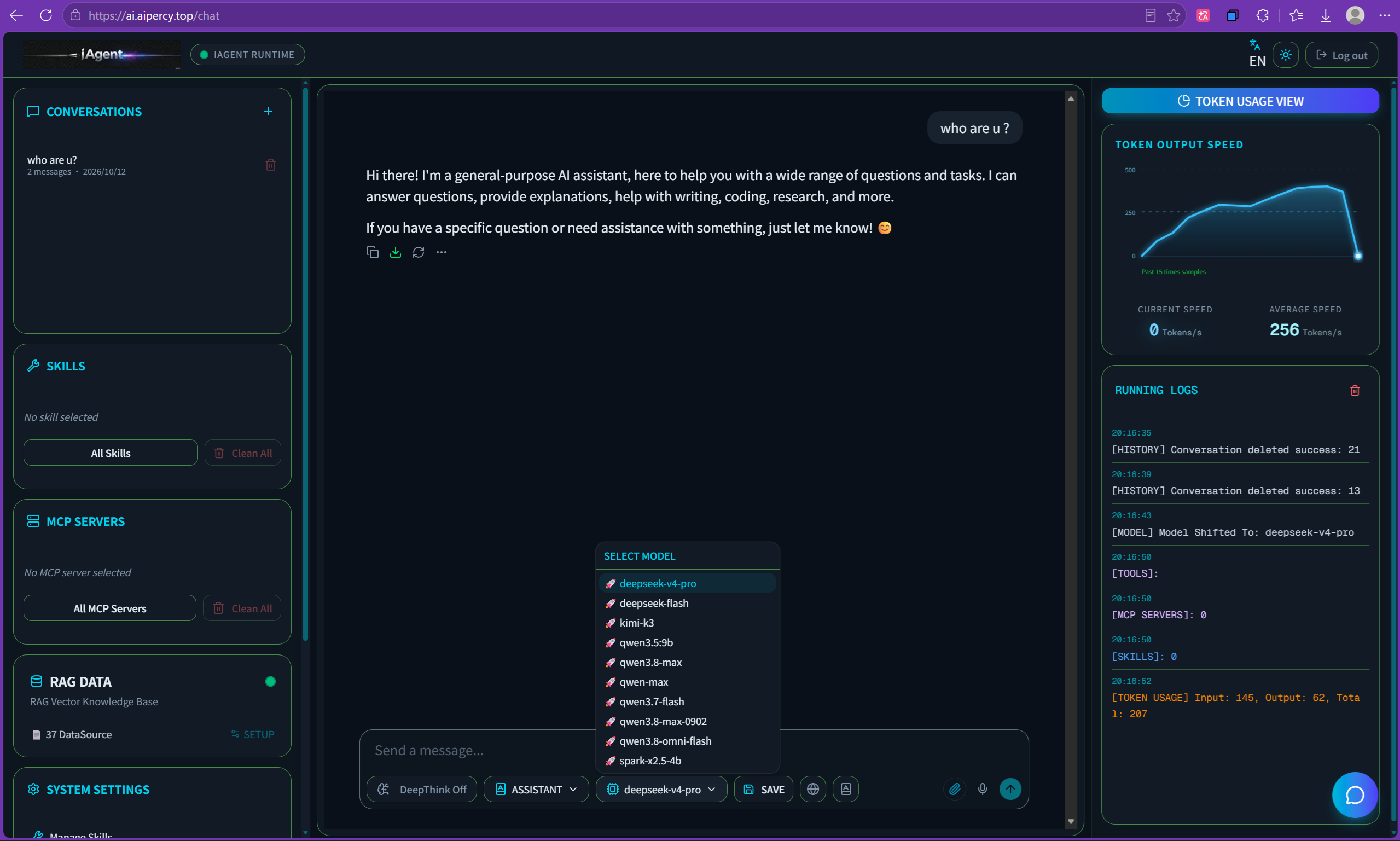
Freely switch to different LLM
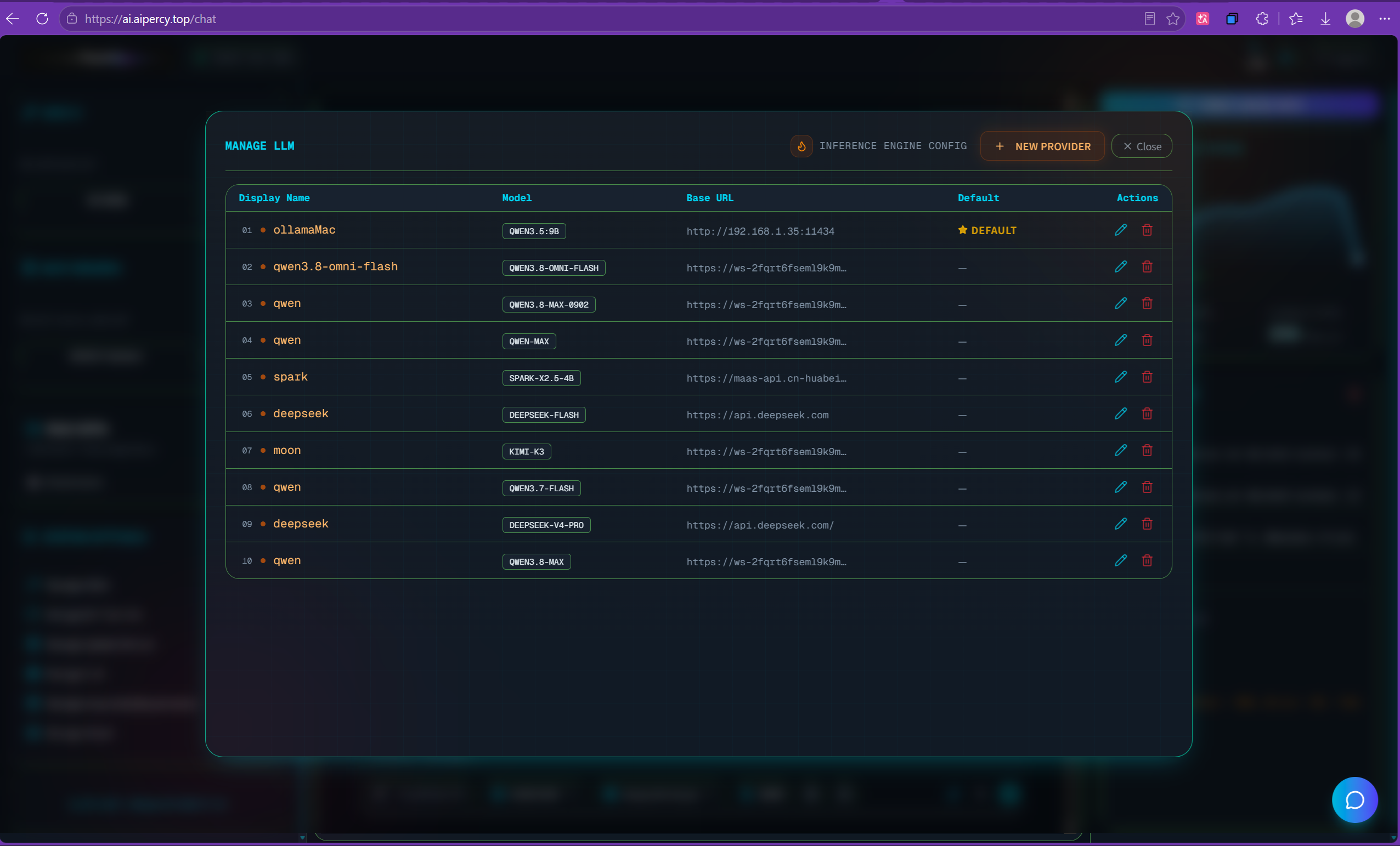
After user setup different LLM parameters in manage LLM module, then easily switch to different LLM depend one-click in main UI.
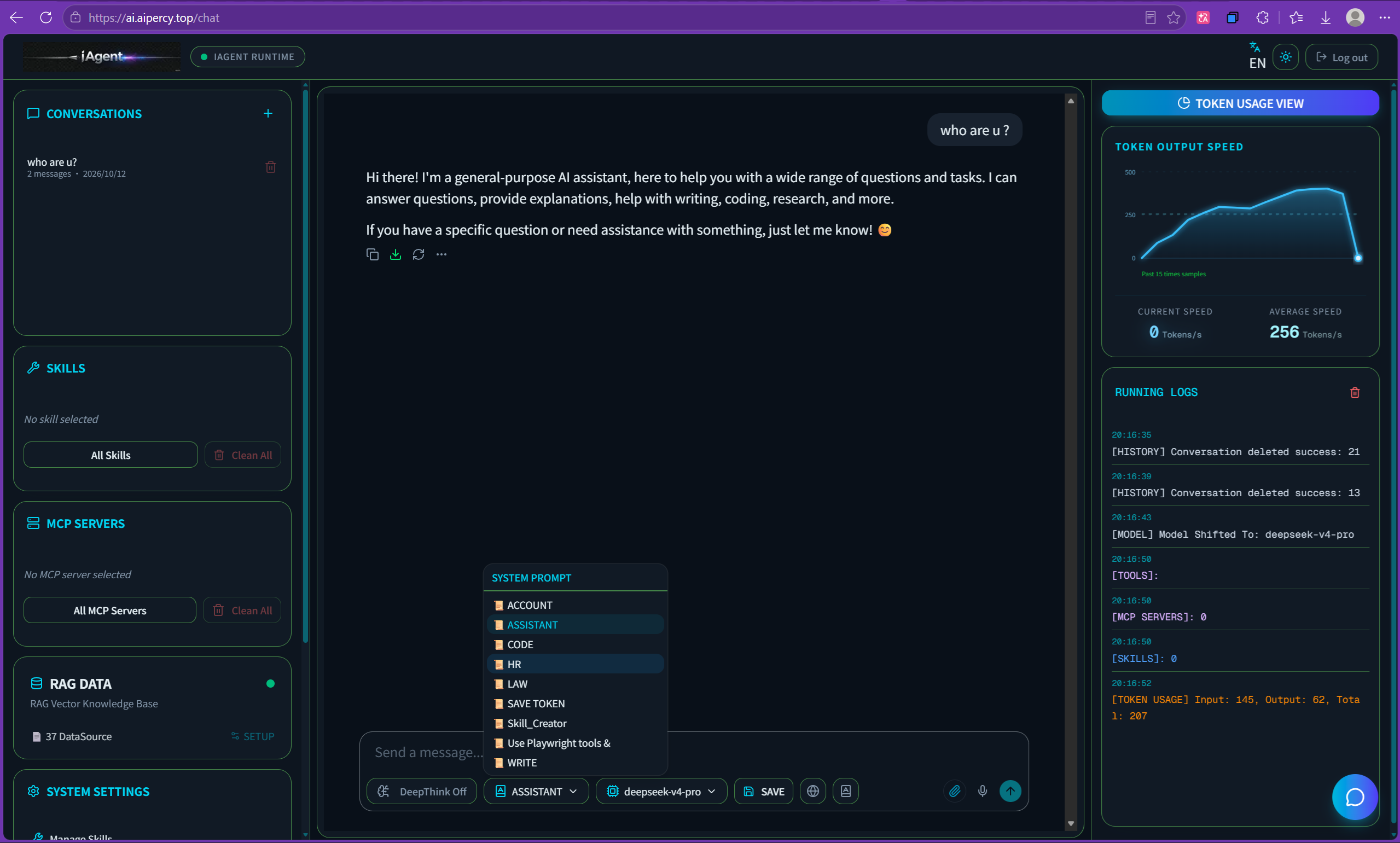
Custmize your different prompt
System prompt can guide AI how to deal with your question, so iAgent integrated with system prompt shift menu, you can define your personal customized system prompt in admin panel, then you can easy to switch different system prompt in main UI.
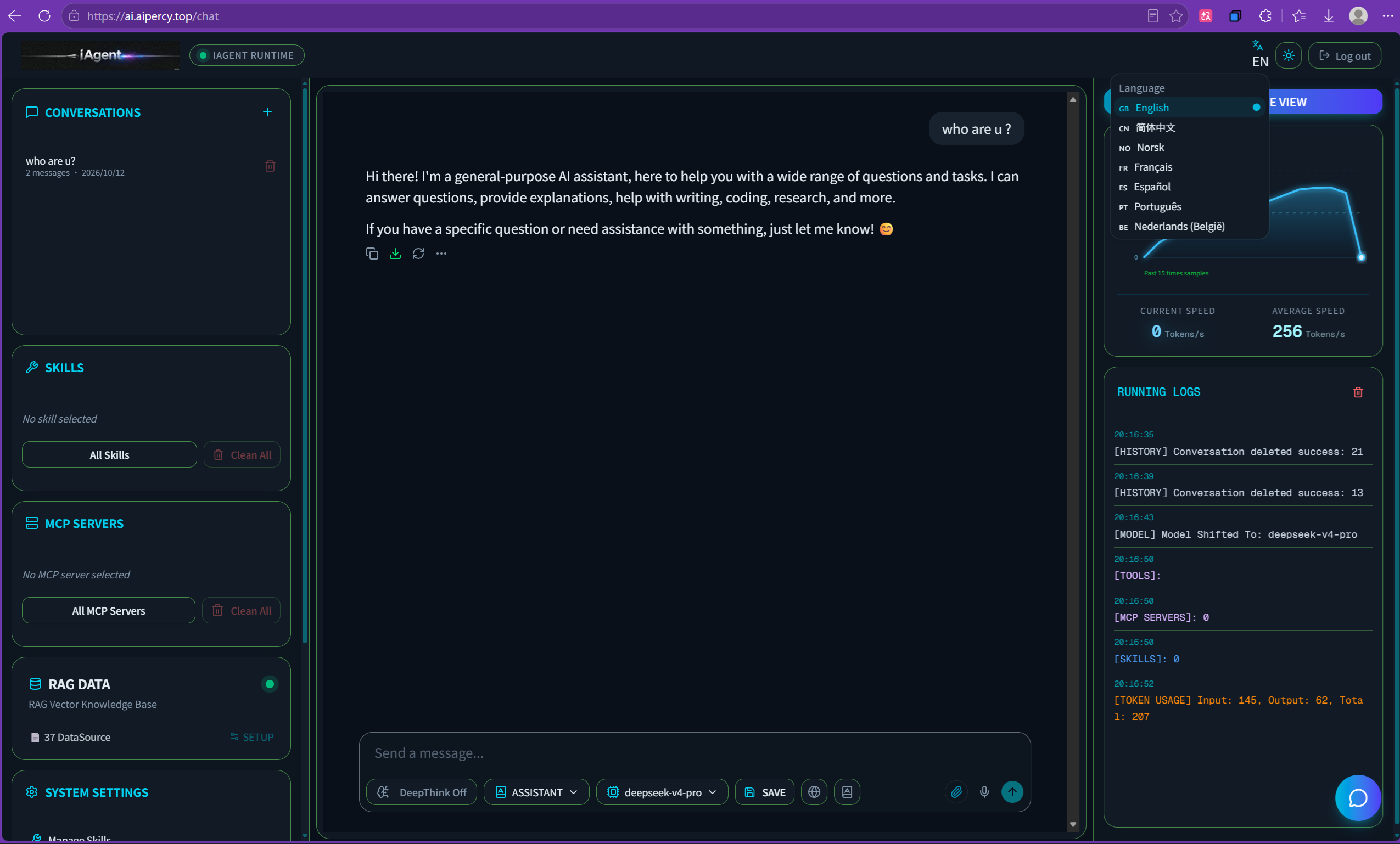
7 languages support
iAgent is one AI tool which face to global users, so far it can support 7 languages including Chinese, English, Norwegian, Spanish, Dutch, Porguguese, France. more langauage support under development in progress.
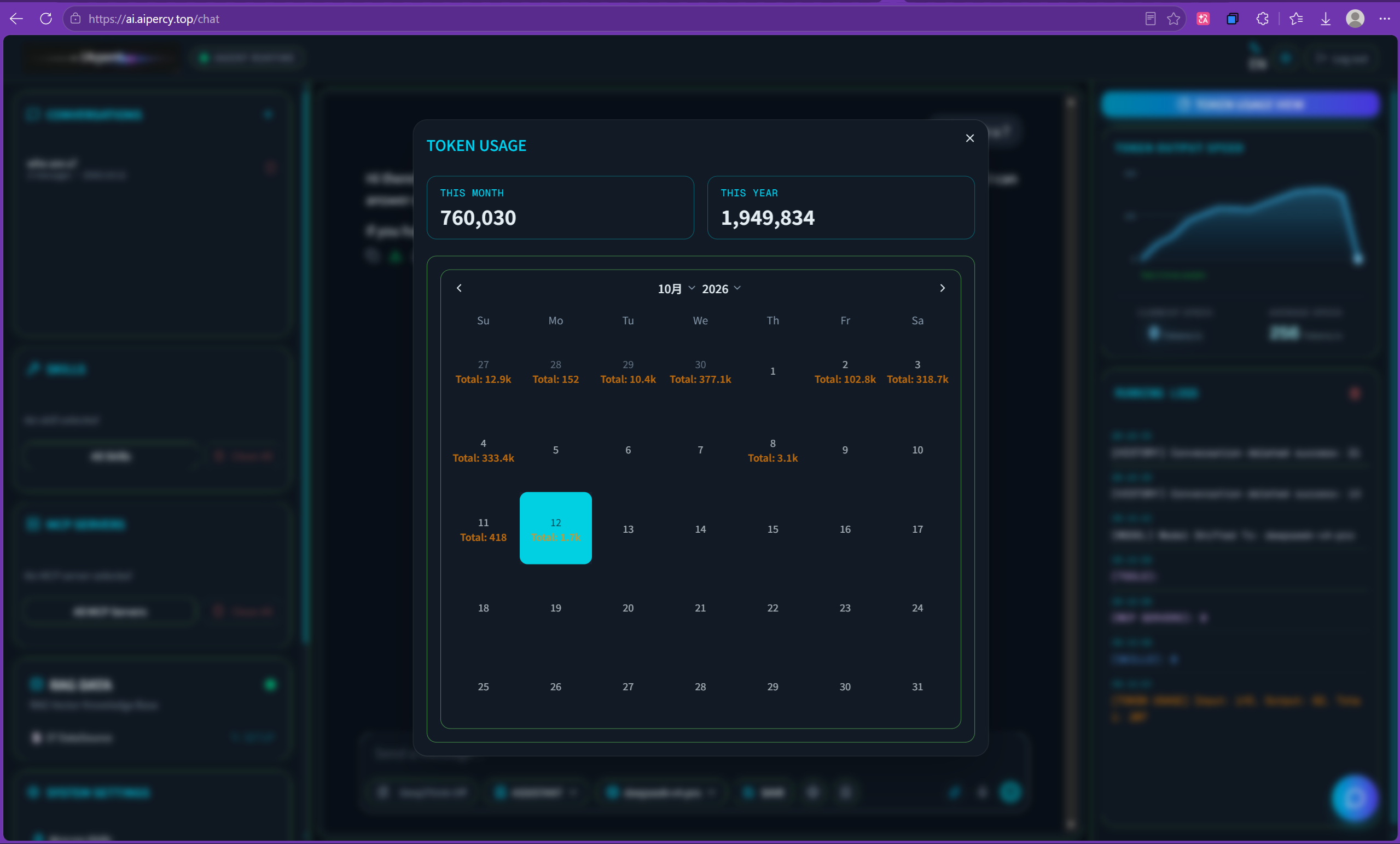
Yearly & Daily token usage monitor
iAgent main UI integrated with real-time token usage per conversation, also save tokens usage into database, the user can easy to view token usage per day or per year.
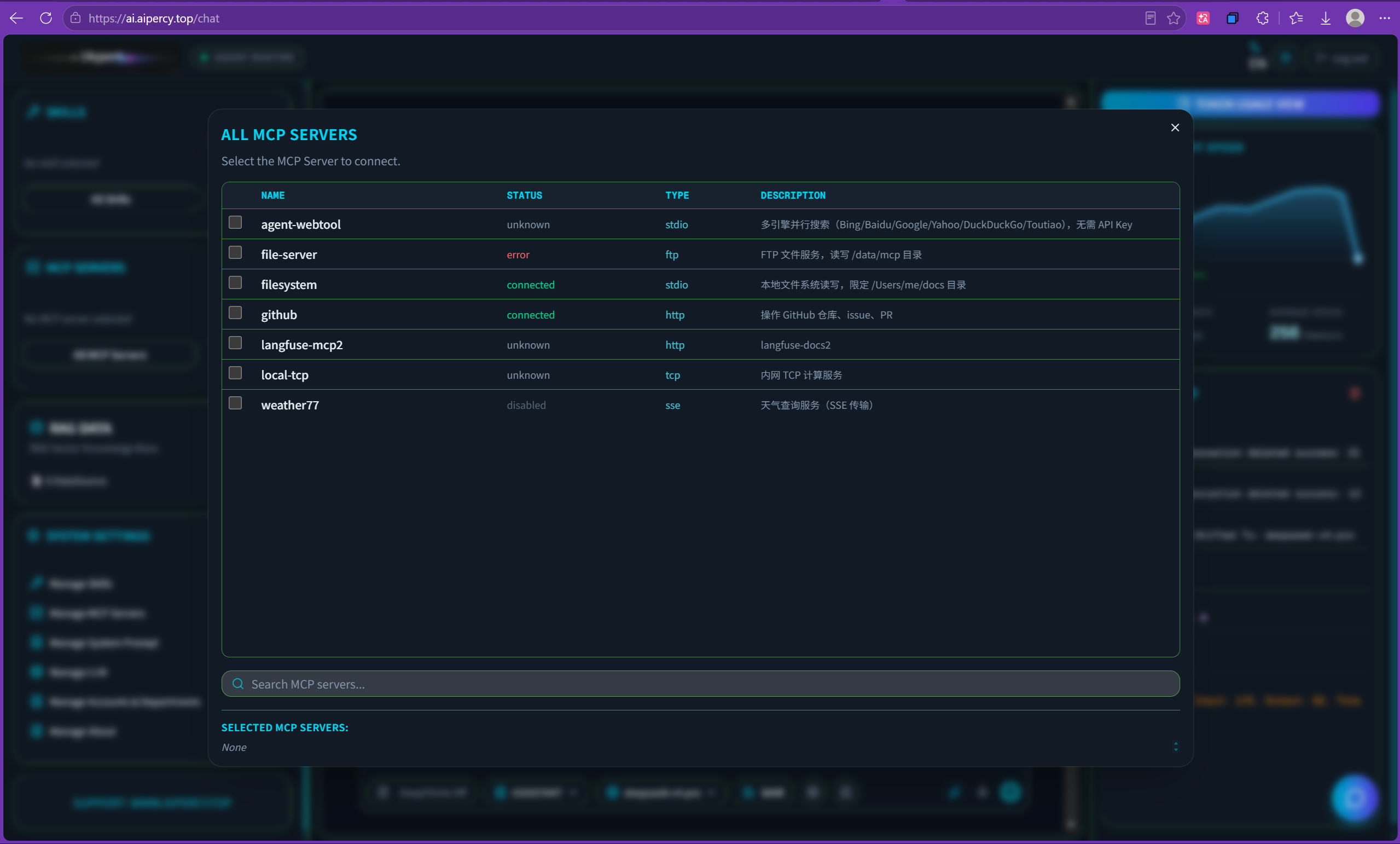
Convenient to select MCP server
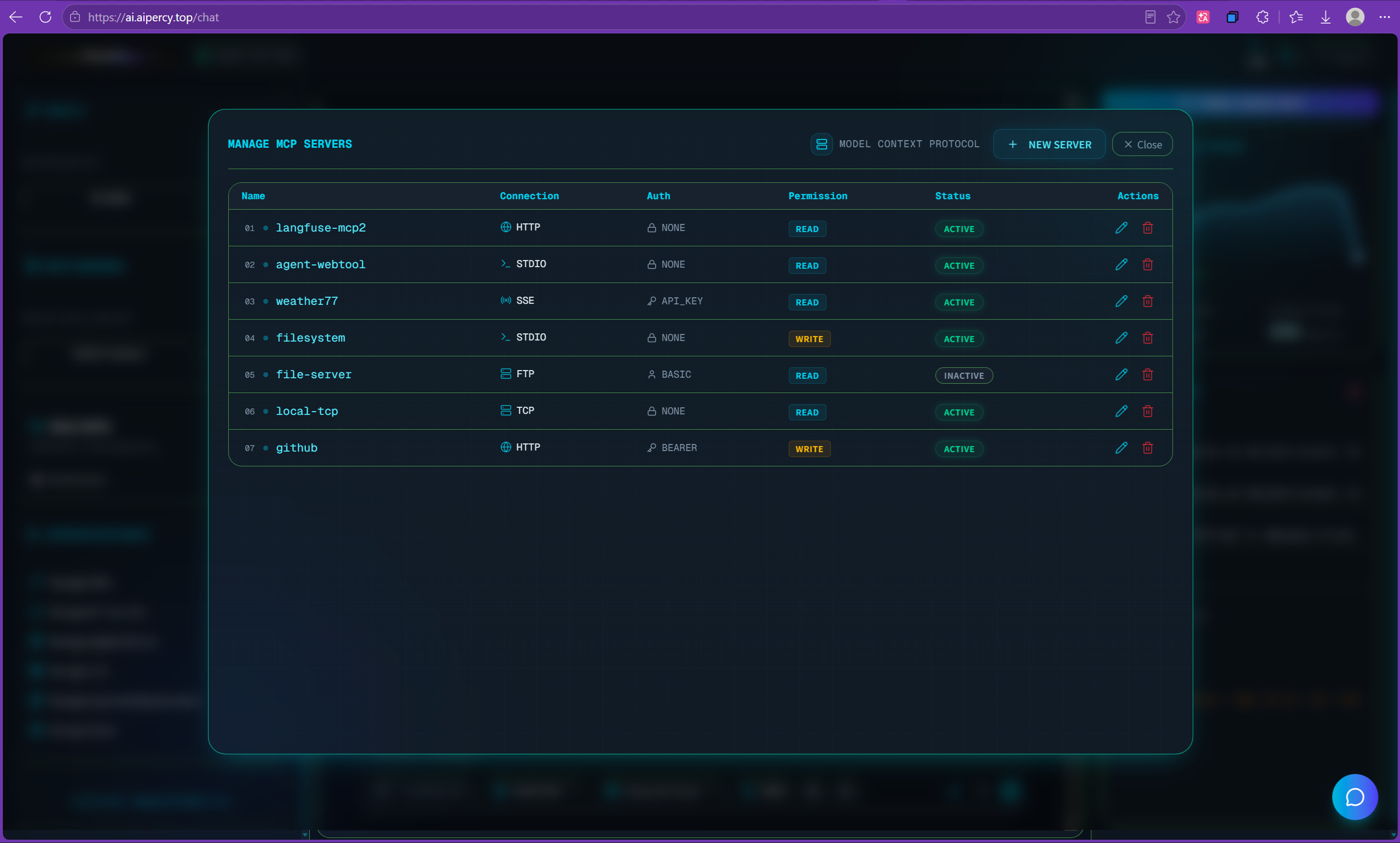
After setup MCP servers in MCP admin panel, the user can easy to select MCP to operate by LLM. and LLM can auto detect MCP server tools then auto make decision to select tool if demand.
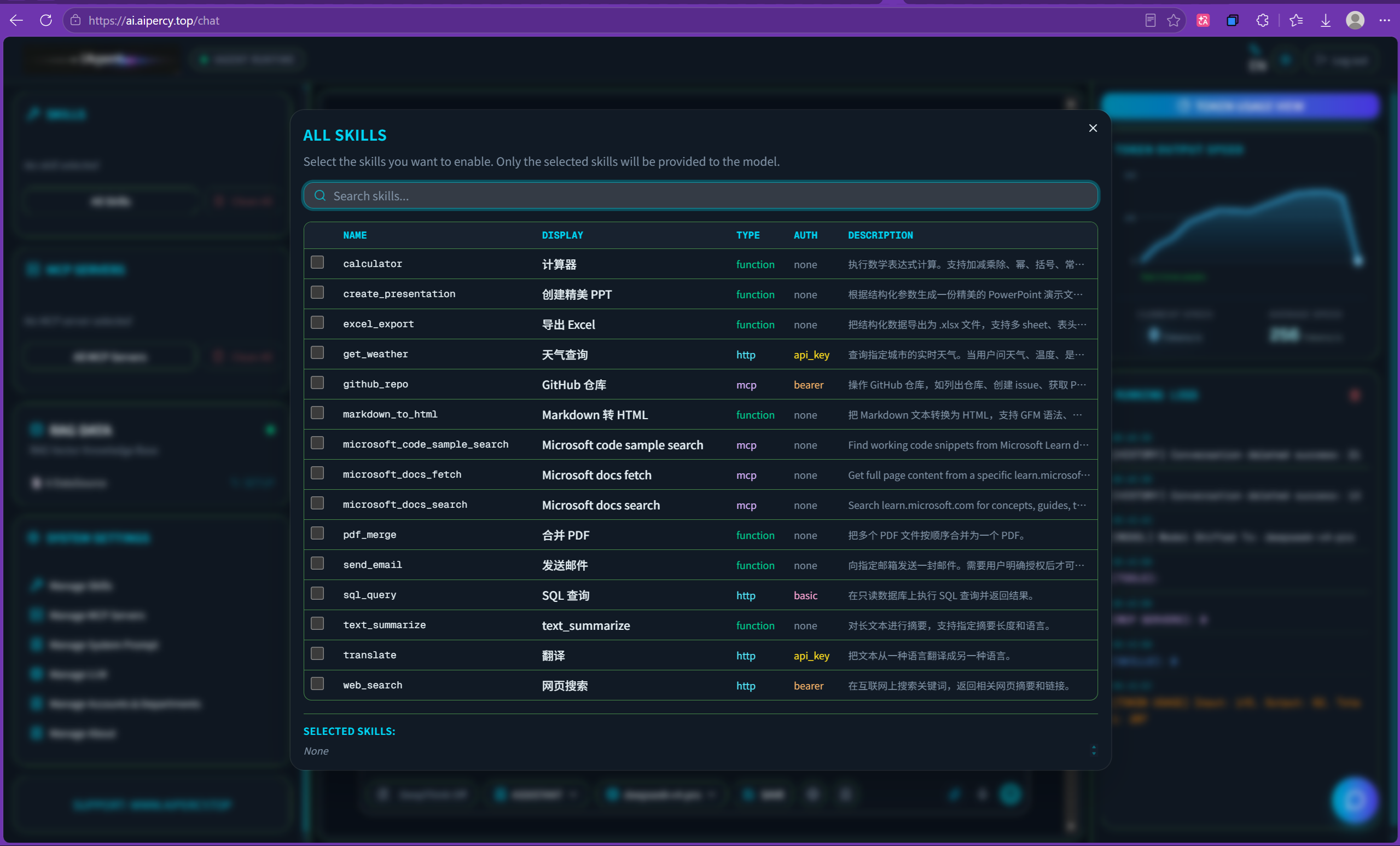
Convenient to select skills
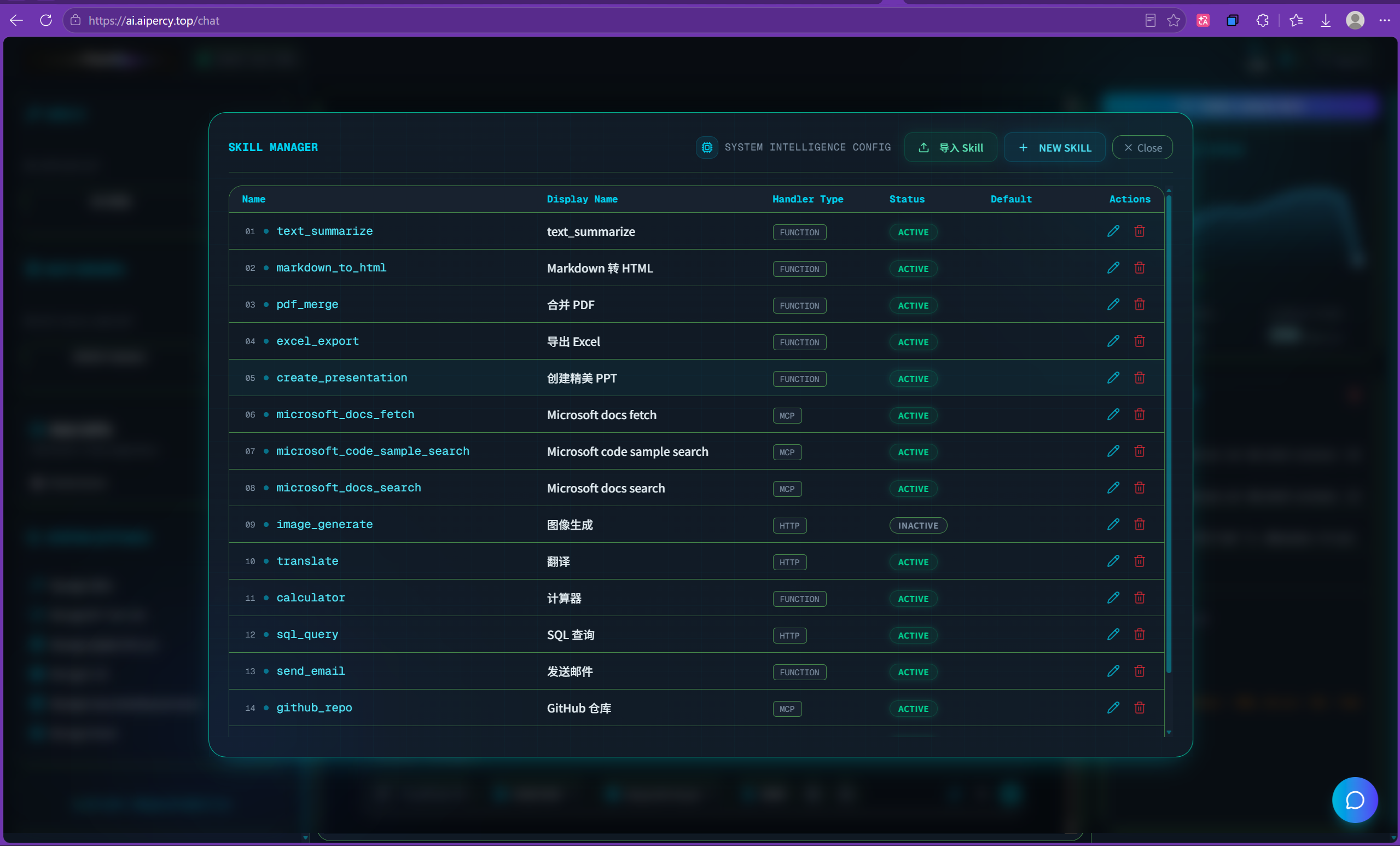
iAgent integrated with skills function, after user put skills from skills admin panel then can select different skill during task, LLM can auto make decision operate skill or not.
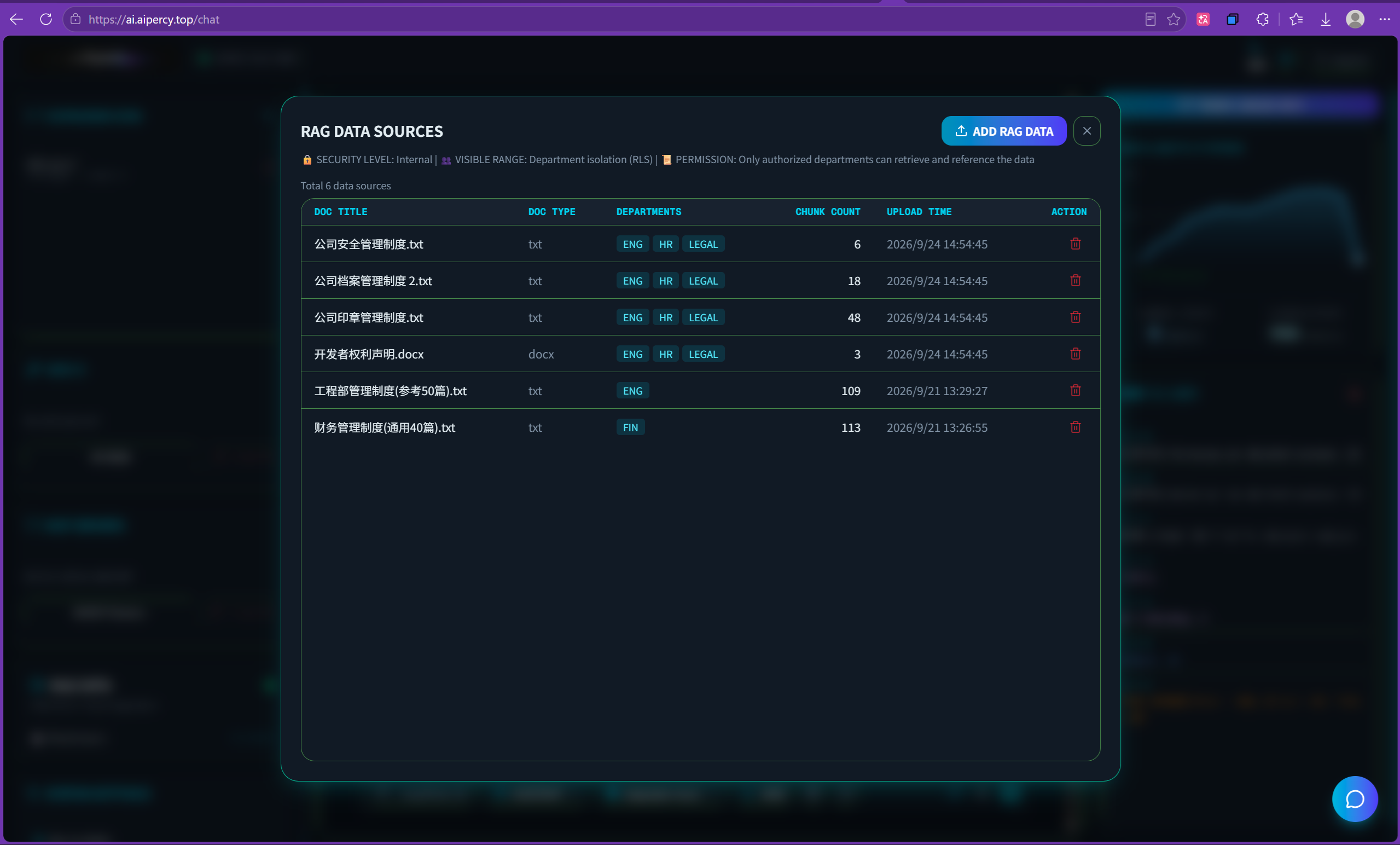
RAG data make LLM more smart
iAgnet integerate RAG function, after import data documents into RAG database, in main UI, there is a RAG swith can make LLM use RAG or not, if RAG ON, then LLM can indexing accurate data to replay user.
Admin manage - Skill manager
It’s easy to import or create skill in skill manager admin panel.
Admin manage - MCP manager
It’s easy to mange MCP server in admin panel, you can easy to import MCP server or create MCP server’s parameters.
Create and manage LLMs
In LLM manage panel, you can easy to CRUD LLM, after you setup LLM’s parameter like baseURL, APIKey, model name then you can connect different LLM in chat page.

The best way to work together. Safe, secure and reliable.
iAgent is your best friend to help you work fast and easily and reliabile.
- Make your customer service stand out.
- Customize your reports and get insights into the metrics that matter.
- Fast and lightly tool for your job.